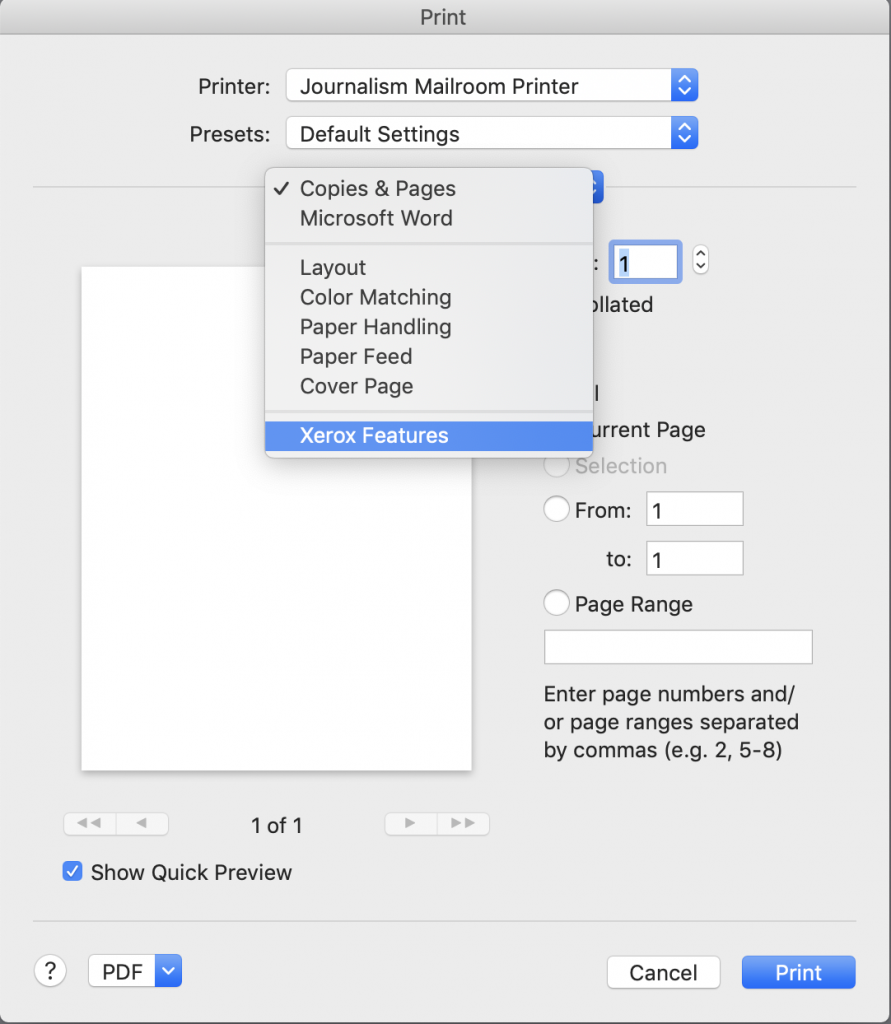
Choose Printer and Xerox Features:
(this Print Dialog Box will vary between Applications)
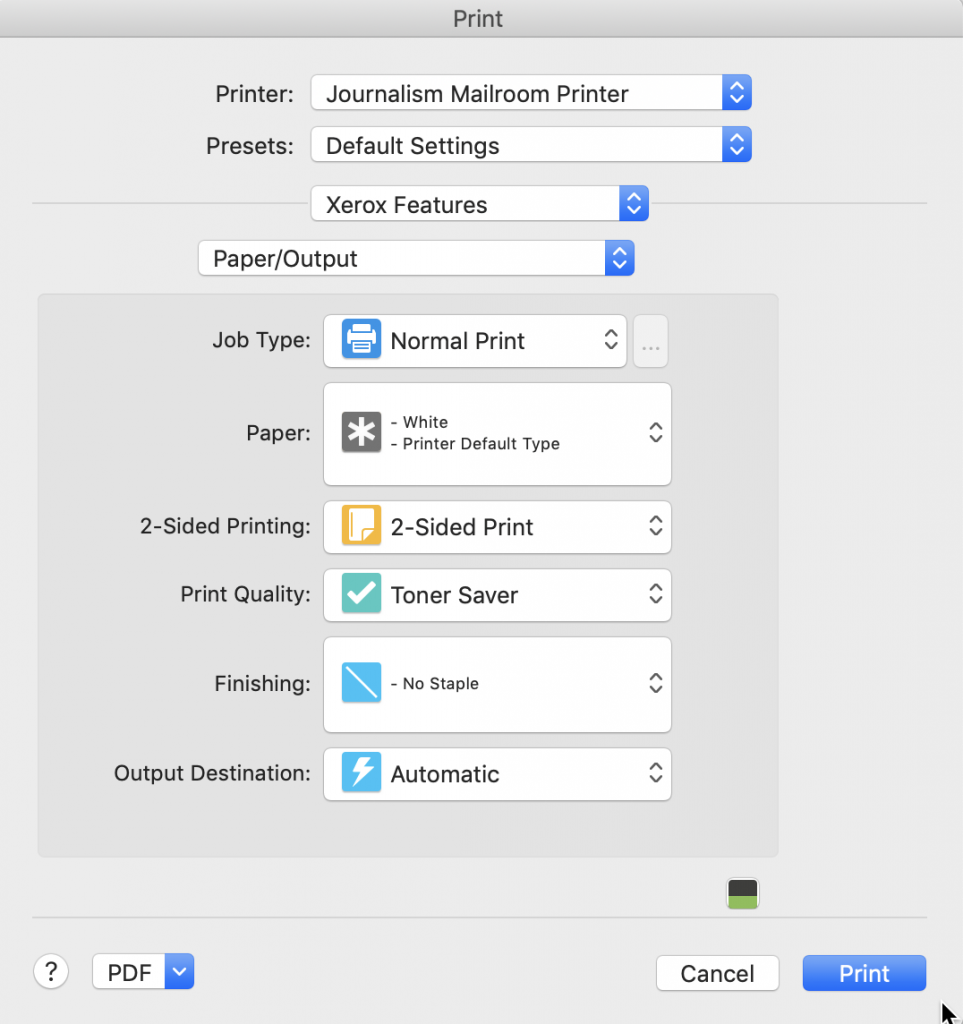
Select Paper/Output to Choose Single or Double Sided & Staples to be used:
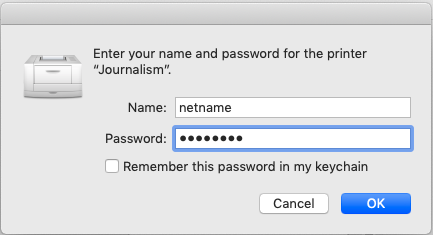
Once your options, page dimensions and quantity of prints have been chosen, Click the Print Button and you’ll be asked to enter Name & Password, Please use your Concordia NetName & Password.
If this is your personal or work Mac, Please tick the
“Remember this password in my keychain” dialog box,
or you will have to re-enter your netname and password again everytime you print.
If you have an Printing issues, Please let us know from our CJHelp site…